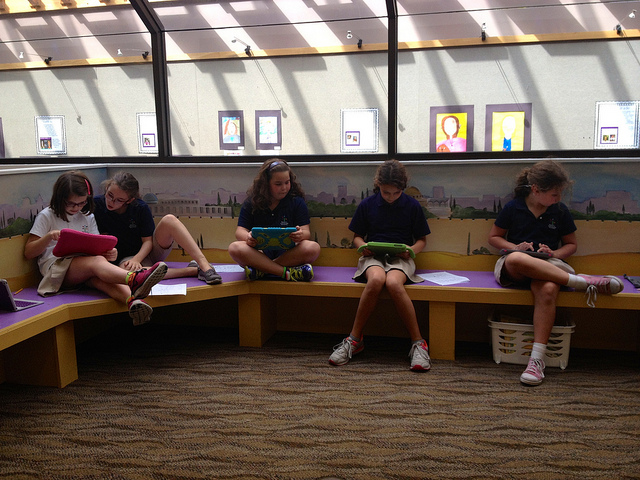
Libraries in the Internet Age

Thank you Common Craft for creating a video about the roles of libraries and librarians in the Internet age.

This video licensed with a Creative Commons Attribution-NonCommercial 4.0 International License (CC BY-NC 4.0).

Enhancing Community and Literacy With Quality Commenting

My friend and colleague, Andrea Hernandez, and I regularly host a parental engagement program at our school, called Parent Connect. Each session focuses on a literacy-related topic, most recently on “Quality Commenting.” At our school student blogfolios (blogs + portfolios) not only serve to showcase student learning, but, more importantly, as a platform for connecting reading and writing to a specific purpose–a platform for authentic communication. It’s blogging as a pedagogy. In the continuous process of creating and nurturing a community for reading, writing, and thinking, quality comments are a important piece of literacy instruction. So our goal with this session was to entice parents/grandparents/friends to regularly dedicate some time to respond with quality comments to our students’ blog posts. In nurturing student creativity and literacy with our blogfolios, we’ve also found a means of building community!

To learn all about quality commenting, please watch this video created by our 5th grade students.

Coding: A New Literacy

My students in grades K through 5 once again participated in the Hour of Code week, an effort by the non-profit Code.org to promote computer science in the classroom. We used various apps and websites to explore the basics of computer programming, including KodableHopscotch, Tynker (both web-based and the app version for iPad), and various tutorials from the code.org site (a favorite was the series of puzzles, Code With Anna and Elsa, which are based on Disney’s Frozen movie hit). It’s always great to watch the kids get excited and really into solving problems and creating animations. Read here about last year’s experience. Watch the video documenting this year’s fun and highlighting some of the skills learned.

Predicting “Enemy Pie”

With my 1st grade students, I recently worked on the concept of prediction based on visual and text evidence as a comprehension strategy. We discussed the importance of making predictions while reading and supporting those predictions with evidence, including the book’s cover, illustrations, or specific text passages. Enemy Pie by Derek Munson served as our mentor text. We studied the book cover, then took a picture walk, and read aloud the story, stopping after certain passages to make predictions based on visual or text evidence.

imgres

If you are familiar with this story about friendship, I stopped reading just after the narrator tells his new friend, Jeremy, to not eat the enemy pie. “Jeremy, don’t eat it! It’s bad pie! I think it’s poisonous or something!” My question for the kids, “What do you predict is going to happen next? Will Jeremy eat the pie, or will he listen to his friend? What is your evidence?”

The students completed an organizer:

OrganizerIPredict...

They then used the BookCreator app for iPad to write, illustrate, and audio record their prediction and evidence.

IMG_2596

We then exported the student creations as movie files to our school Vimeo account and uploaded to each student’s blogfolio.


Liquid Learning: Cool Word Vocabulary

Students are always eager to get hands-on training in how to use new tools. In this exercise, I was inspired by the “Cool Word Vocabulary” activity published by Tech4Learning to create an opportunity to use the company’s software, Pixie, with my 2nd grade students. I love using Pixie with my students (see, for example, biography research, how-to tutorials, and states research) as it allows them to be creative while also exploring the features of a great digital tool.

Using an organizer, students each chose a word from their current spelling lists and wrote a sentence or two using the word in context.

TemplateCoolWords1

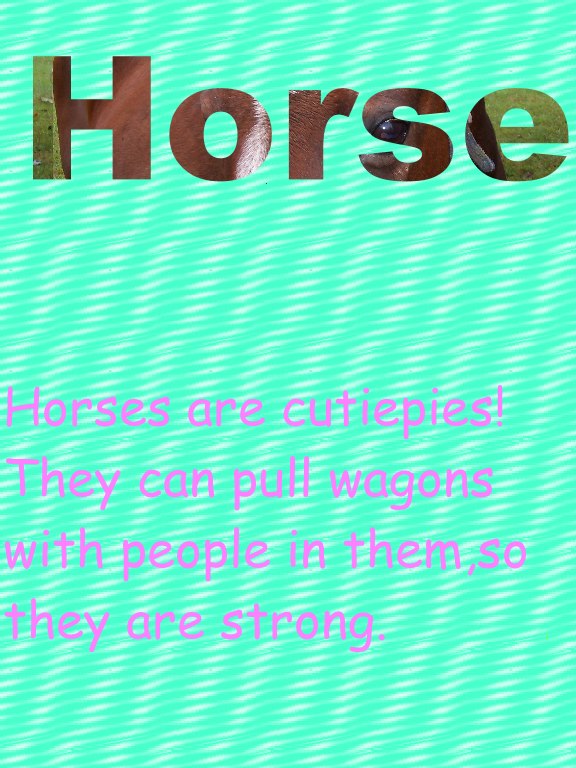
In Pixie, students searched the copyright-friendly images available from Pics4Learning for images that represented the meaning of their chosen word. In some instances, this required them to think more broadly. For example, one student’s word was “stirrup”. Since there were no pictures of a stirrup, he had to think of other pictures that represent the meaning of the word and settled on “horse”.

IMG_2605

Before students began working in Pixie, I modeled the steps and showed them an example. I also gave them the step-by-step instructions in writing. Most students did very well working independently to create their cool word vocabulary words.

TemplateCoolWords2

As Pixie was new to this group, they really enjoyed playing with some of the software’s creative features, including the paint can tool. Some of the background students created were quite amazing. The finished products were exported as image (.jpeg) files. In sum, this exercise expanded both traditional and digital literacies. Liquid Literacy at work!  And we had fun.

Morgan's Cool Word

Lizas-Cool-Word

Noams-Cool-Word

ChatterPix: Creative Assessment in the Lower Grades

imgres

I recently came across a really fun and free iOs app called ChatterPix by Duck Duck Moose. The app allows you to take a photo, add an animated mouth, and then record up to 30 seconds of audio to make the image talk. Here’s the official description:

ChatterPix Description

Our Kindergarten students recently studied panda bears, so the simplicity of ChatterPix seemed the perfect tool to allow the students to share their learning. With their Kindergarten teacher, Arlene Yegelwel, each student had created a panda picture made of pieces of black construction paper and cotton balls. To create the ChatterPix, students took a photo of their panda bears, with their fingers drew a line across the image to create the panda’s mouths, and then recorded what they had learned about panda bears in class. The final products were saved to the Camera Roll and then uploaded to our school’s Vimeo account. This was a super fun and easy way to assess learning while practicing oral language skills.

I also used ChatterPix with our 1st grade students to record a Chanukkiah song. In Hebrew class, the kids had created Chanukkiahs from pasta in various shapes and sizes glued to wooden boards and then spray-painted in gold. Using the ChatterPix app, the students each took a photo of their creations, drew a line for an imaginary mouth, and recorded a song. While I don’t speak Hebrew, the students’ teacher was able to use the recordings as a quick assessment of student pronunciation and usage of word endings indicating feminine and masculine word endings.

A couple of days ago two of my 4th grade students were playing around with ChatterPix. One of them had heard about it from her younger sibling. I love that the app is not only simple to use but allows students to be creative–as well as inspires students to have a go at it for extracurricular purposes. And for teachers, it is definitely an easy assessment tool.

Fostering Critical Thinking With State Research


14944259833_2eb862d7bd_z

My 4th grade students are studying Florida and its history in social studies class this year. Their teacher, Michelle Lewis, asked me to introduce them to digital resources related to the subject. Here in Florida, the Florida Electronic Library (funded by the State) makes available free to all its citizens a variety of electronic resources, including a Florida History database. After a brief introduction, I let the kids explore this resource via a scavenger hunt. They had so much fun with this that I decided to expand this project to a mini-research unit. Key elements of the mini-research unit are researching facts on two states, synthesizing information into a short written report, and creating a final digital report.

To facilitate the exercise I replicated the model report laid out in Liz Allen’s Research Without Copying presentation (2009)–a fabulous compilation of research presentation ideas, some of which are adapted from Nancy Polette’s book by the same title, challenging students to think critically about what they read and then synthesize the information learned in a variety of creative ways. Its a higher-level type of engagement with the material that ensures students better retain the information.

So on their next visit to the library, I introduced my students to the If…But Report. The idea was for them to research two different states, compile four facts for each state, and then compare and contrast the states in a one-page report, consisting of a written portion and a non-linguistic representation of the facts.

Research

The students scoured three pre-selected websites (kids.usa.gov, factmonster.com, and 50states.com) as well as the Kids InfoBits database for information. They were to find something interesting from each source and record the information on a graphic organizer.

GraphicOrganizerStatesResearch

Pre-Writing

Using a template, students drafted their reports. In a mini-lesson, we looked more closely at some student’s writing to discuss mainly style. For example, one student listed the state name in every sentence. Is this necessary? Is it interesting? Another student used big numbers to express the populations of his states. What would be a better way to tell the reader?

TemplateIfButReport

Report Creation

Using Pixie for iPad app students created their reports, which had to include a written portion as well as a non-linguistic representation of the facts gathered for each state. Even though I had originally planned three 40-minute sessions for this quick research and report project, it took five sessions. It was harder for some students than others to retrieve interesting facts from the sources. Also, the report writing was easier for some than others. All students, however, quickly created their reports using the Pixie app.

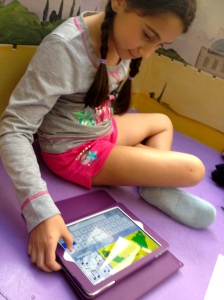
IMG_2412 IMG_2413

My students know that I expect quality work, so as a final step, they had to use a checklist. Those students who finished early, also had to write a brief reflection on their student blogs.

If...ButReportChecklist1

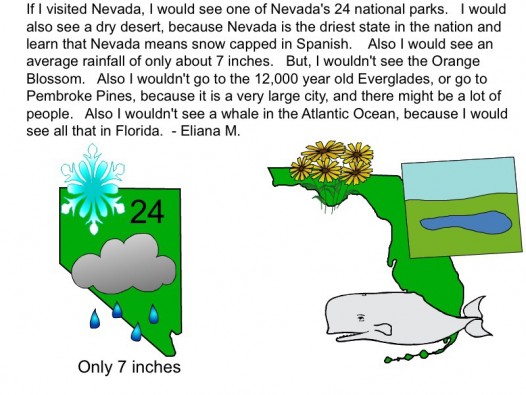
Here are some of the wonderful examples of the final product.
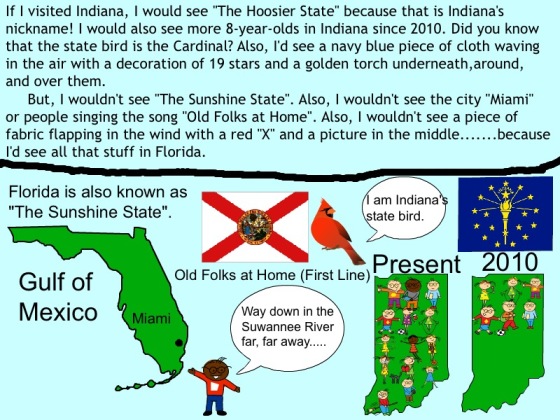
SaylorBy Saylor S.


image2-e1413909231942By Eliana M.