Digital Citizenship: Creating Quality Products

I’ve written earlier about my 4th grade students’ completion of their digital citizenship unit, remarking that their final product was too general and failed to reflect all the different aspects of digital citizenship. So I decided to avoid this pitfall by offering my 5th grade students more structure in creating their final product.

Common Sense Media’s Digital Passport™

images

First, we began with a review of all the different lessons we learned using Common Sense Media’s  Digital Passport™ app for iPad. Through videos and games, the app aims to reinforce key concepts about digital citizenship in five different modules: safety and security, privacy, cyberbullying, responsible cell phone use, and respecting creative work of others. As students work through each module, they collect a badge to ultimately earn their Digital Passport. I thought this would be a fun way to wrap up the lessons and wanted to give it a try after learning the app won a bronze medal at the International Serious Play Awards and was named a “Top 10 Educational Technology You Should Try This Year” in 2012 by eSchoolNews. The classroom version allowed me to set up student accounts and track and measure student progress.

Creating a Product

Students were tasked with creating a product to demonstrate knowledge of one of the concepts of digital citizenship we had studied (Internet safety and privacy, online communication, giving credit, cyberbullying, or digital footprint). Since my 5th grade students are in a 1:1 iPad classroom and quite savvy with a variety of tools, I wanted them to choose the tool they considered the best fit for their purpose. The idea was for them to be as creative as possible in articulating what they had learned about their chosen concept of digital citizenship.

At the same time, as mentioned earlier, I felt the process of creating a product needed to be fairly structured. So I provided the students with a worksheet to guide them by taking notes on the key vocabulary and important points about their topic. Also, students were tasked with developing a motto.

Digital Citizenship

Peer Review

Where appropriate, I’ve been incorporating peer reviews in all of my lessons. It is not only an opportunity for students to review their own work, but also to learn from their peer’s work by gaining a better understanding of the required criteria, possibly triggering further improvement and revision. The larger goal is always to give students more of a stake in their own learning and to understand the importance of quality work.

CD Artifact Checklist

Many of my students did a wonderful job, using the “Artifact Checklist” not only for peer review but first to ensure their product meets all the required criteria for a quality product. Unfortunately, not all students took advantage of this form of quality check. A few of my 5th graders’ artifacts produced less than satisfying results. In fact, it seems students rushed through the peer review process, quickly checking each box and not offering quality comments. Several of the “completed” checklists show lots of check marks but none of the boxes asking for the key vocabulary or important points filled in.

Producing a Collaborative Emphasis on Quality

Quality work is something I stress with all my students. I give them the time needed to really “go deeper” to focus on a project or product rather than to move on with less than satisfying results. Having students create their own digital products as alternative forms of assessment requires much more time than any traditional forms. So our last lesson was spent on critiquing products the students created. Equipped with the rule to point out something positive and then make a suggestion for improvement, I pulled up each student’s product and let the students provide constructive criticism. This was a great session, which produced a collaborative emphasis on quality. Students then had the option to revise their work. Since our students own blogfolios, the last step was to publish the product along with an explanatory blog post.

Overall, I am happy with the results, with special emphasis placed on going over the product one more time before pressing publish!

Please check out some of the creative products created by my students.

Griff’s Comic:
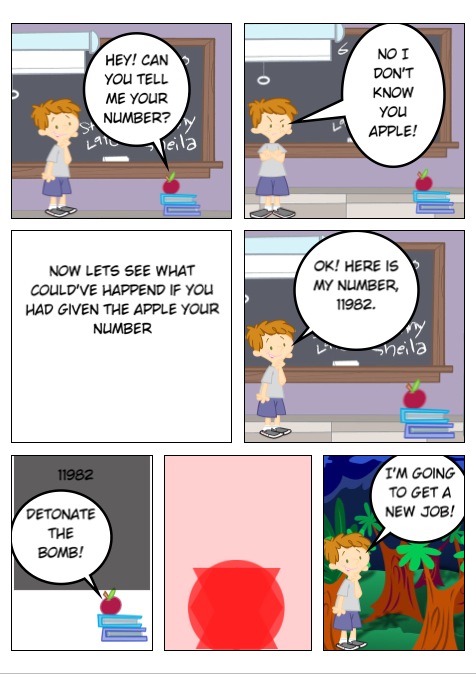
photo 1

photo 2

photo 3


Structuring a Lesson on Digital Citizenship

I have been working with my 2nd through 5th grade students on digital citizenship. There are lots of great instructional resources available online, but I have grown partial to Common Sense Media’s lessons and video library. While this not-for-profit organization suggests a scope & sequence for teaching the various topics/building blocks that make up digital citizenship, I’ve decided to adapt some of the lesson plans to better suit my students’ needs. My fourth grade students just completed their last unit lesson, “Digital Citizenship Pledge”. For a final product, they created Digital Citizenship posters.

We began by brainstorming everything we had learned these past few weeks about digital citizenship and discussed adding a motto or slogan to our posters. How do you package a concept like digital citizenship into a few catchy words? Not an easy task for some of the kids, but in the end they came up with great posters.

20140115-143036

I do know that the students understand the various elements that make up digital citizenship, but in hindsight I don’t think creating the posters was the best artifact for students to show their learning. This already occurred to me while the students were brainstorming their mottos. Even though we came up with many examples from the advertising world and discussed how mottos are short and catchy, there were still some students whose mottos consisted of two long sentences. Also, while creating this poster was definitely a quick process, it was too general.

So for my 5th grade students, who have also completed the digital citizenship unit, I’ve decided to change things up a bit.  I’ve provided more structure in the form of a worksheet. Students are to choose from one of the five main topics we learned about digital citizenship. They then think of a motto, decide on the digital product they plan on creating, and brainstorm important points and key vocabulary they will include in their artifact.

Digital Citizenship

So far, most students have  completed the worksheets and  I am encouraged by the level of detail they provide and the creativity they show. So stay tuned for a great variety of student-created artifacts about digital citizenship!

IMG_1378

Retelling Stories of Author Chris Van Allsburg

My 4th grade students have been working on “retelling.” Their language arts teacher, Andrea Hernandez, asked me to work with the kids on this project after reading my post about retelling in 1st grade. The students began by watching some examples of 1st grade students retelling The Paper Bag Princess. They noticed that retelling is about telling a story again, emphasizing the various story elements, and speaking fluently and with expression. Since they had just learned about writing summaries in language arts class, they also noted it was okay to give away the ending of a book when retelling. When summarizing, however, one should “not give away any spoilers”.

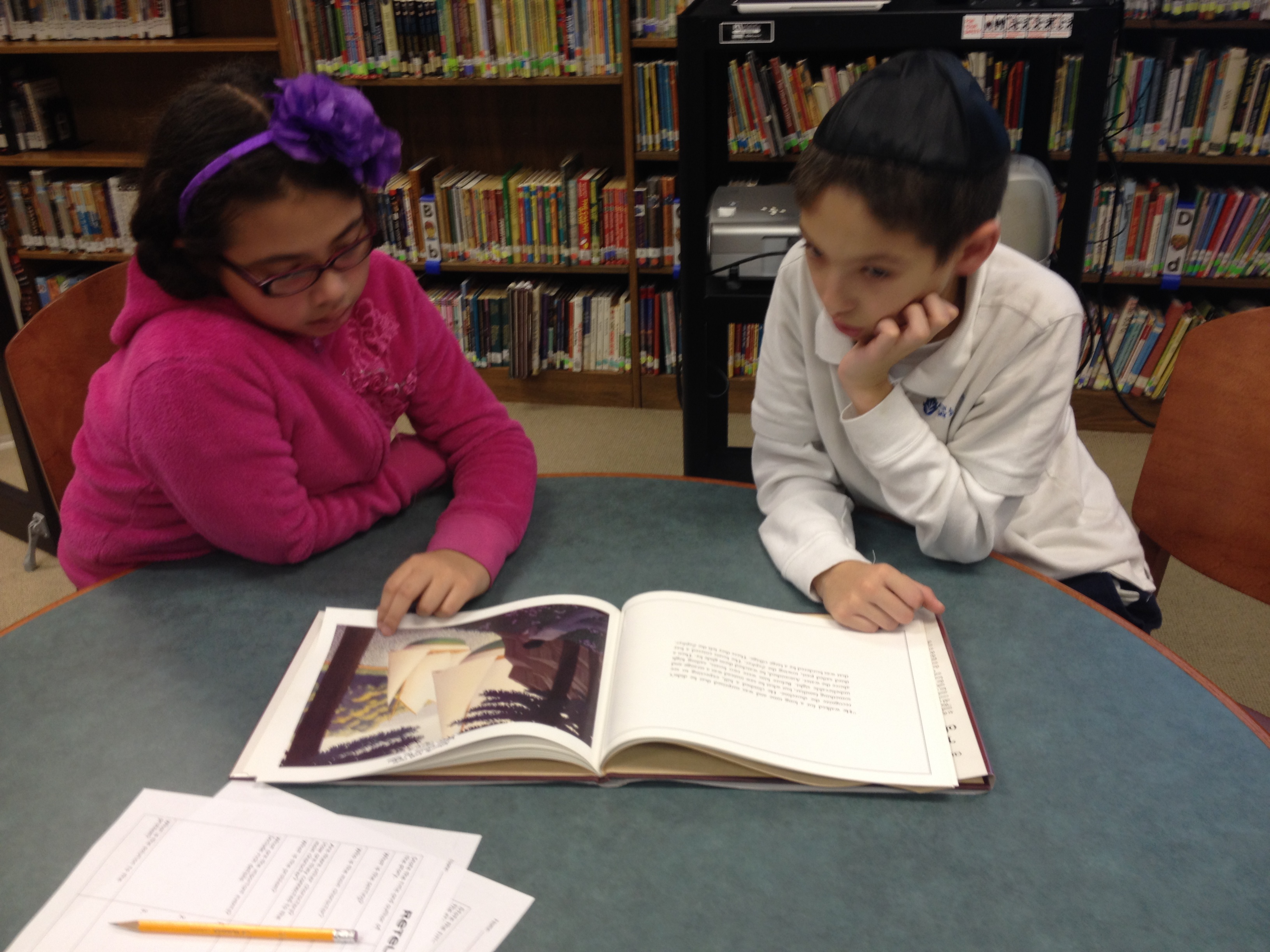
For their retelling project, my group of ten 4th grade students focused on books by Chris Van Allsburg. This was a practical decision based on the fact that our school library owns several of his books, most are on my kids’ reading levels, and none of the kids were familiar with Van Allsburg’s work. Students began by finding a comfy spot in the library to read the book, study the illustrations, and then discuss the story.

IMG_1358

IMG_1357

The students then used a graphic organizer to help identify their story’s elements. Agreeing on the main events was challenging for some of the students, forcing them to convince their partners of their opinions. It was great listening to the kids digging deep into the stories!

TemplateRetelling4th

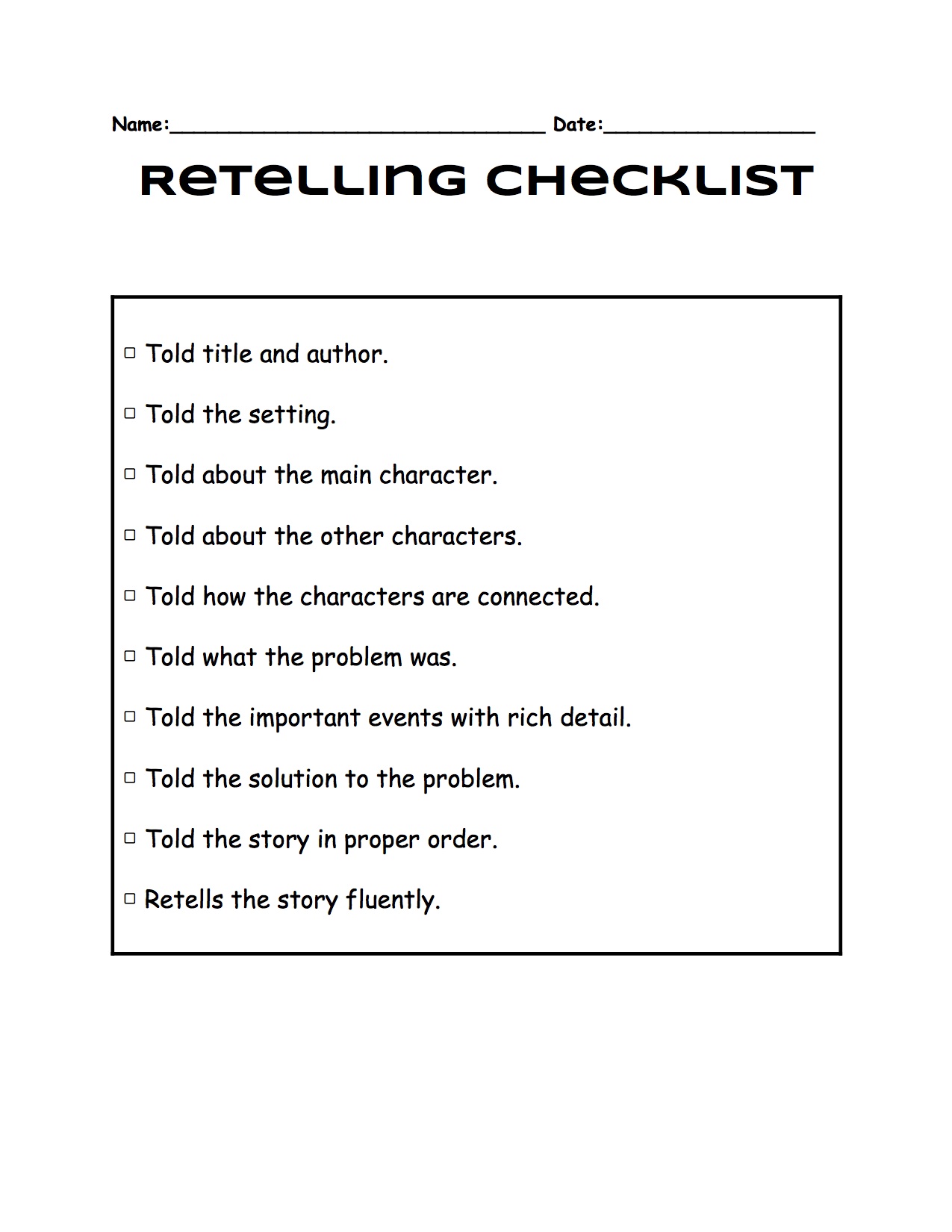
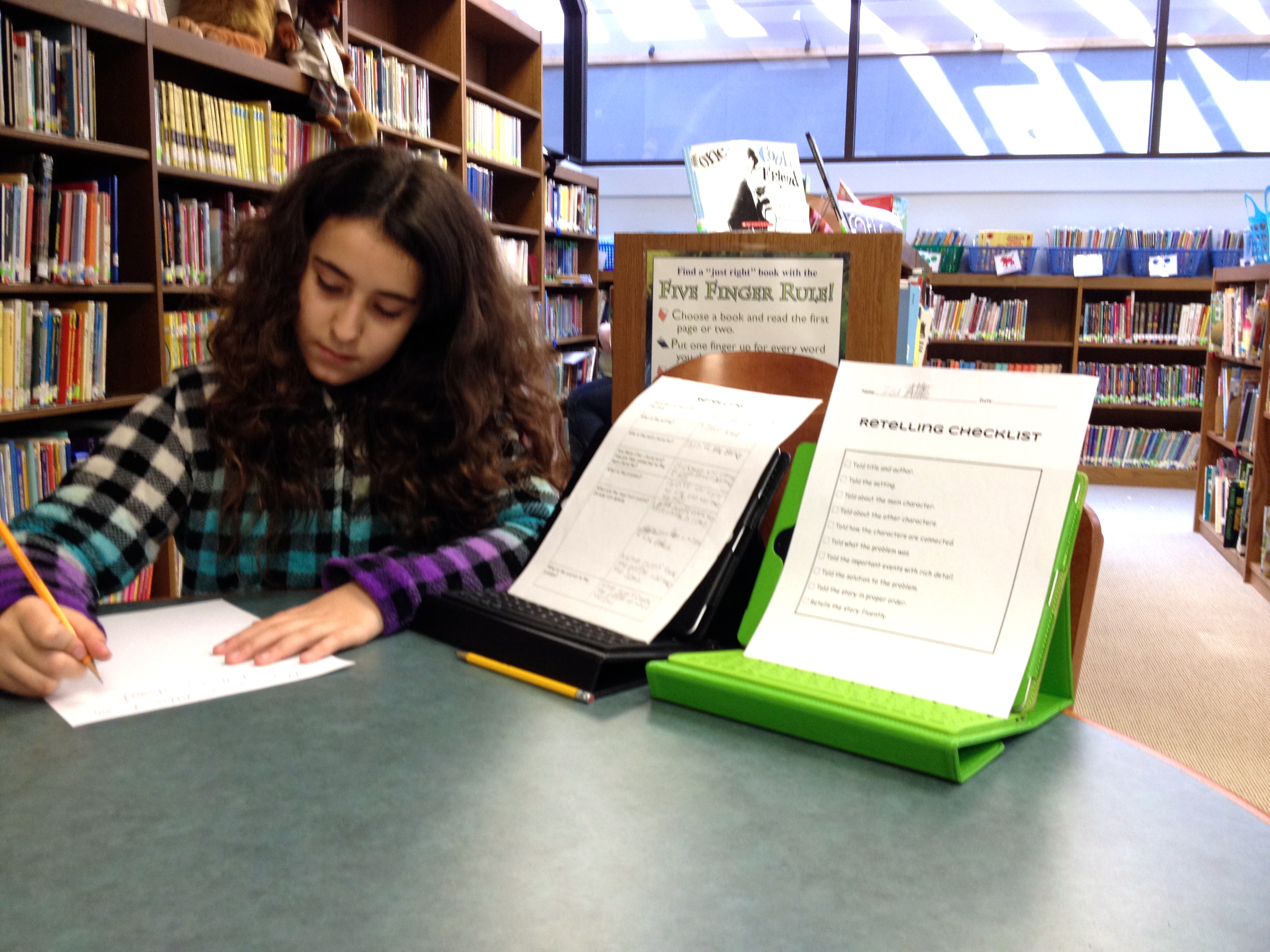
Once the graphic organizers were completed, students began practicing retelling the stories to their partners. This was much harder than they had expected. The fact that I meet the students only once weekly for 40 minutes did not help. For some of the kids, at least, it seemed they needed a bit of time to get back into the story either by re-reading the book or carefully studying their organizer. I strive to let my students be as independent and self-directed as possible. So for this project I wanted the partners to coach each other’s story retelling by providing constructive feedback. Of course the added plus was that this also allowed the students to learn from each other. To aid in this process, I created a checklist.

TemplateRetellingChecklist4th

Once students felt ready, the next step was to video record each other retelling the story. Some times it was camera shyness, other times it was lack of preparedness, and in some cases it was a matter of fluency–but for all students the recording stage consisted of multiple takes. In a couple of instances, students edited their own retellings, requiring a reminder that edited versions were not the point of retelling.

IMG_1424IMG_1428IMG_1416IMG_1445

The last step was for students to embed the retelling video and write a brief post on their student blogfolios. Please watch some of their retellings, read their posts, and leave a comment!

Abigail Retelling from MJGDS Classrooms on Vimeo.

Isa’s Retelling from MJGDS Classrooms on Vimeo.

English-to-English Translation Challenges

Spell_with_flickr__LITERACY

On Tuesdays, our middle school rotation students are in the library for study hall. Most of them typically work on their current event assignments, which are due on Wednesdays. The students have to find a news story of national or international impact and summarize it in their own words. This week, I worked with one of our 6th grade students, who had chosen a story about the current Russia-EU/US standoff over the Ukraine. Aside from the fact that she was clearly lacking any background knowledge on the shared history of the Ukraine and Russia, the student also had an extremely difficult time comprehending the text due to a lack of vocabulary knowledge. For example, what are “political, diplomatic, and economic sanctions”? What does it mean when “Putin says he thinks the West is provoking Russia”?

I am currently meeting twice weekly with a small group of 5th grade students who are reading Verne’s classic (original, unabridged version) Around the World in 80 Days. Written in the 1880s, the novel’s old British English presents my seven students with a completely new language and style. We are using Subtext for iPad (there’ll be a post on this app some time in the near future), which allows me to pose queries for the students directly within the text. One challenge I like to pose is: “Please rewrite this sentence in contemporary English”–oftentimes resulting in a number of varied interpretations. Examples include: “A room was engaged for the young woman, and Mr. Fogg, after seeing that she wanted for nothing, set out in search of her cousin Jeejeeh.” Or, “He acquitted his task with characteristic serenity, and invariably replied to the remonstrances of his fair companion, who was confused by his patience and generosity.”

Whether reading for information as in the current event assignment or reading for entertainment as in our classics reading group, students must show comprehension. Both types of assignments are requiring students to read deeply, i.e. forcing students to stop and think about meaning. Deep reading is challenging. It is easy to read one Rick Riordan or Margaret Haddix or JK Rowling book after another, following a highly engaging story. But it is an entirely different proposition to read deeply, interpreting style nuances and translating vocabulary. But it is in facing these challenges that readers gain maturity and depth. Both our social studies teacher’s current event assignments and the reading of a true classic promote just that: enhanced literacy.

I SPY: “The Project That Keeps on Giving”

IMG_1496

“This project just keeps on giving” was my colleague’s, Arlene Yegelwel, comment on the second blog post about our 2nd grade students’ I SPY project. Arlene is right! After working hard on creating our class I SPY book and then on perfecting our interviewing skills as a means of project reflection, we enjoyed a fabulous virtual visit with Jean Marzollo, author of the I SPY book series, today. It was Jean’s challenge that inspired our own class book and resulted in about 20 minutes of insights and learning from the author herself.

IMG_1479

IMG_1487

As new experts in the process of creating an I SPY book, our students were especially curious about Ms. Marzollo’s process. They wanted to know how she finds the items for her collages (turns out most are selected by the I SPY photographer, Walter Wick), how she creates the rhymes (as this was not always easy for our kids), and why she chose a 4-beat rhythm for her riddles (we did a lot of clapping to practice). Lots of great questions!

Reflection__I_SPY___The_Project_That_Keeps_On_Giving__-_Google_Drive-2

Notice the last question about advice for improvement of our class book. No, Jean did not have any advice for us–instead she praised our book, describing it as “the best one yet”, and telling the kids that they “deserve a blue ribbon” for their work. And she asked if she could feature our work on her website.
The second grade students, their teachers, and I are both thrilled and honored. Thank you, Jean Marzollo, for inspiring us and visiting with us!