
To celebrate Black History Month our 2nd grade teacher asked me to collaborate on a student research project. Her general goal was for students to each learn about one famous African American. For me, this was an opportunity to bolster students’ information literacy skills by engaging them in some heavy duty research.
Pre-Activities
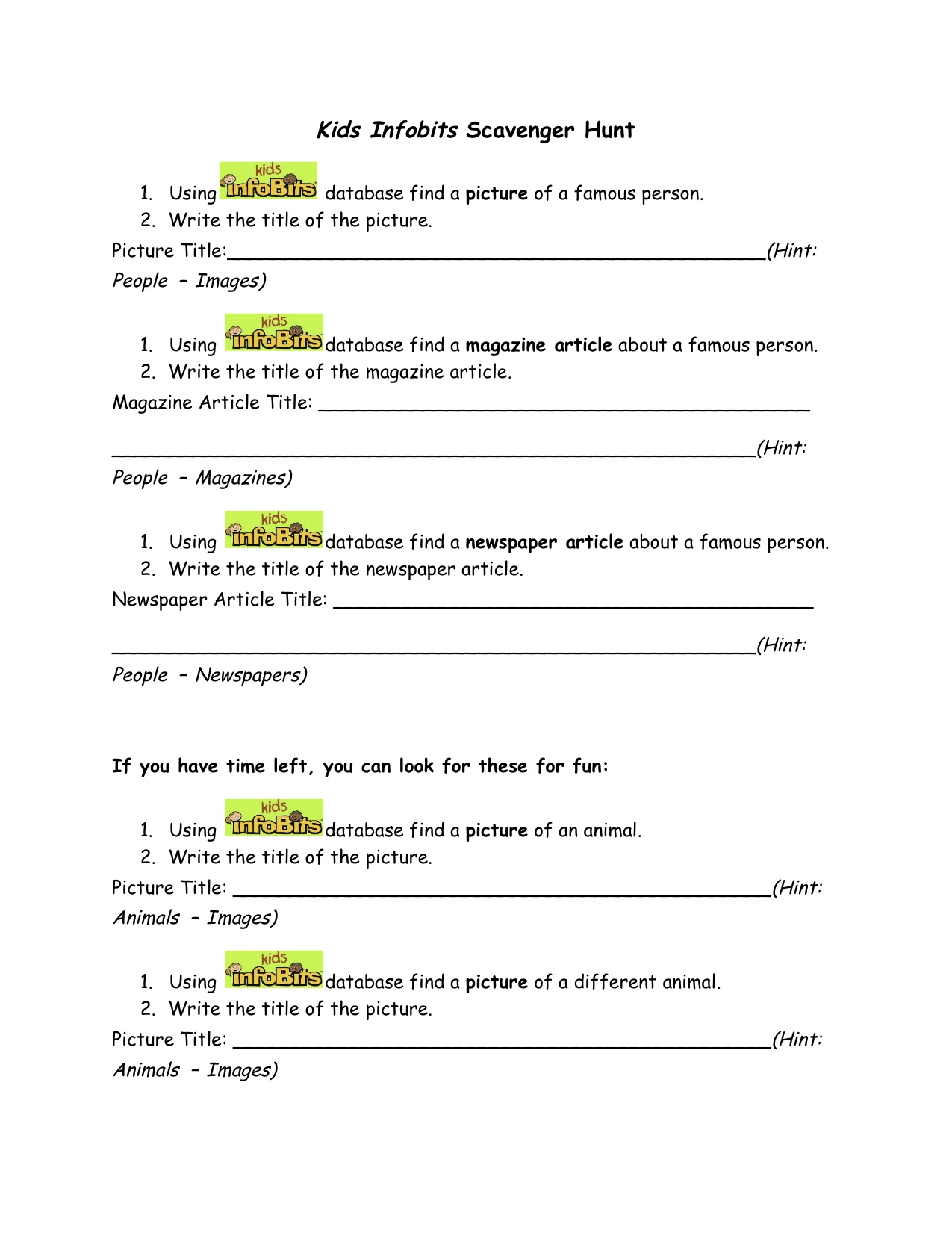
The first step was to assure students were able to define the biography genre. I asked them to explore a number of different biographies and then we collaboratively identified the information one can find in them. Next I introduced the students to our research tool, the Kids InfoBits (Gale) online database, which offers student-friendly articles on a variety of subjects. Inspired by a “scavenger hunt” created by librarians at Round Rock Independent School District, I created an adapted version for my students to let them explore Kids InfoBits.
Research
To guide their research, students used a simple graphic organizer (see timeforkids.com) requiring the completion of four major areas of information. Additionally, if students could find one, they were to add a quote by the famous person they were researching.

It turned out that some students felt overwhelmed by the amount of information available through the database and/or found the online articles too difficult to comprehend. So the classroom teacher supplied lower reading level print biographies to those students. Since the print text also offered many pictures, students were able to extract information more easily.

Finally, I always want my students to self-check their work before we move on to the next step. So once the research process was completed, students used a Biography Check form I created using the Comic Life app for iPad.

Product Creation
My colleague and our school’s Director of Teaching & Learning, Andrea Hernandez, suggested students create an Associative Letter Report (see “Foundations for Independent Thinking: Look to Bloom and Marzano” by Liz Allen) as their cunulative project.
Similar to an ABC-style book, an associative letter report asks students to take what they know about a topic and organize the information around a specific letter. For example, a student assigned the letter “B” and Rosa Parks might write “B is for Rosa Parks because she was brave when she would not budge from her seat.”
So before creating the reports, students had to think of nouns and adjectives to describe their person–and to ensure all those nouns and adjectives begin with the same letter. This was not an easy task and involved some problem solving and thinking outside the box. We did not require a minimum number of words, but left it up to each student’s ability. Some of them thought of six words, others just two.
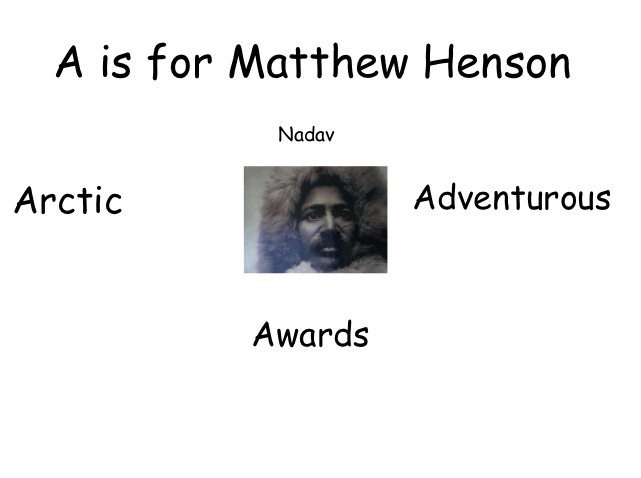
Students used the Pixie2 software (Tech4Learning) to produce their reports. We gave a few guidelines, including font must be black for readability, titles should be large enough to read, one image per page. As before, once the reports were completed, I asked students to self-check their work by providing them with another checklist (also created with the Comic Life app for iPad).

Student products are presented in the following videos:
Part 1
Part 2
Presentations
Students presented their projects to the class. We video recorded each presentation. As a next step, the classroom teacher will upload the report artifacts and recorded presentations to each student’s blogfolio. To conclude the project, students will reflect on their work and presentations.

Reflection
My goals for this project were for students to conduct research, read for information, apply critical thinking skills to organize the information found, and create a final product using the information. It was an ambitious project, especially since the students had no prior research experience. But the students learned by doing. And while the research process was at times frustrating for some, I think all students improved their stamina to stay actively engaged in more in-depth projects.
The Pixie project was a great tool for differentiation. As their products show, some students created up to six separate slides with full paragraphs of text, while others created only one or two slides in the same amount of time with only a sentence or two. In this group of 19 students, there is clearly a range of developmental and academic ability represented and the project served this range well.
It definitely helped that the classroom teacher agreed to add an additional hour per week to our schedule. Initially, we met only once weekly — not at all enough time to allow students to “connect” to the project. In the future, I would definitely work out a schedule with the classroom teacher that involves the children multiple times weekly.
At times, a visitor to the classroom may have considered the lessons chaotic, but if he had listened closely, he would have heard students talk excitedly about “their famous person” to their desk neighbor, shared an image with another student, or helped a classmate in the use of Pixie. Students were focused on their work and engaged in learning throughout the project.




 Liquid Literacy
